
.png)
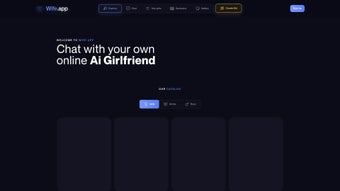
Description
Download Wife.app – Interactive AI Girlfriend Experience, Secure Subscription Chat Tool
Overview
Wife.app is a web‑based AI chat platform that delivers an immersive, adult‑oriented virtual girlfriend experience. Powered by Global AI Corp, the service combines cutting‑edge natural‑language processing with deep personalization tools, allowing mature users to create, edit, and catalog AI characters that respond in a lifelike, conversational manner. The platform is subscription‑based, offering a secure payment gateway and regular content updates that keep the dialogue fresh and engaging. Privacy is a cornerstone of the service; all user data is encrypted, and the application complies with strict content‑management policies to ensure responsible usage. While the core offering revolves around explicit, role‑play‑driven interactions, Wife.app also provides a sandbox for users to experiment with personality traits, visual avatars, and scenario scripting. This makes it more than a simple chatbot—it’s a customizable companion that evolves with user preferences. Because it runs entirely in a browser, there’s no need for heavy downloads, and the interface adapts to both desktop and mobile environments, giving users the freedom to engage whenever and wherever they choose. Whether you’re looking for a playful escape, a tool for exploring relationship dynamics, or simply a novelty conversation partner, Wife.app positions itself as a premium, adult‑focused AI companion that balances entertainment with robust privacy safeguards.
Key Features & Personalization Options
- Advanced conversational AI that adapts to user tone, slang, and context.
- Deep character customization: name, personality archetype, voice style, and visual avatar.
- Scenario builder that lets users script specific role‑play scenes or daily routines.
- Multi‑profile management – store and switch between several AI girlfriends in one account.
- Real‑time sentiment analysis to keep dialogues respectful and within agreed boundaries.
- Secure, encrypted subscription handling with automatic monthly renewal options.
- Cross‑device sync: continue conversations seamlessly from Windows, macOS, Android, or iOS browsers.
- Content filtering controls for users who want to limit explicit language or imagery.
- Regular AI model updates that improve language fluency and introduce new interaction patterns.
- Dedicated support portal with FAQs, community forums, and 24/7 ticket response.
The feature set is deliberately built around flexibility. For example, the scenario builder allows you to define a “morning routine” where your virtual partner greets you with personalized compliments, or a “date night” script that includes planned dialogues, music suggestions, and virtual gifts. All customizations are saved in the cloud, so you never lose your work even if you clear your browser cache. The AI also respects user‑defined boundaries: you can set limits on explicit content, choose a “PG‑13” mode, or enable a “strict consent” filter that prevents the bot from initiating any adult themes without explicit user prompting. This granular control is essential for maintaining a safe and enjoyable environment, especially given the mature audience the platform targets.
Installation, Usage & Compatibility
Because Wife.app runs as a web application, there is no traditional installation process. Users simply visit wife.app, create an account, and select a subscription tier. The onboarding wizard guides you through avatar creation, personality selection, and optional scenario scripting. Once the account is set up, you can start chatting instantly in a clean, responsive UI that works on all major browsers.
Step‑by‑Step Quick Start
- Open your preferred browser (Chrome, Firefox, Safari, Edge) on any device.
- Navigate to https://wife.app and click “Sign Up”.
- Enter a valid email address, create a strong password, and verify your account via the confirmation email.
- Choose a subscription plan (monthly, quarterly, or annual) and complete payment through the secure SSL‑encrypted checkout.
- Launch the “Create Your AI” wizard: pick a name, adjust personality sliders (e.g., flirtatious, caring, adventurous), and upload or select a visual avatar.
- Save your character, then click “Start Chat” to begin interacting. Use the toolbar to access scenario templates or adjust conversation settings on the fly.
The platform is fully compatible with Windows 10/11, macOS Catalina or later, Android 8.0+ browsers, and iOS 13+ Safari. Because it is browser‑based, performance depends mainly on a stable internet connection and a modern JavaScript engine. No additional plugins or downloads are required, though enabling cookies and allowing pop‑ups for the site will ensure the best experience.
For power users, a “desktop shortcut” feature is available on Windows and macOS. By clicking the “Add to Desktop” button within the app, a small PWA (Progressive Web App) wrapper is generated, giving you a native‑like launch icon that opens Wife.app in its own window without the usual browser chrome. This optional step makes the experience feel more like a traditional desktop application while retaining the benefits of cloud‑based updates.
Pros, Cons & Frequently Asked Questions
Pros
- Highly customizable AI personalities create a truly personal experience.
- No heavy downloads; works instantly in any modern browser.
- Robust privacy and encryption keep user data secure.
- Regular AI updates improve language naturalness and add new features.
- Cross‑platform compatibility ensures seamless switching between devices.
Cons
- Subscription model may deter occasional users who prefer a one‑time purchase.
- Explicit content limits the audience to mature users only.
- Requires a stable internet connection; offline usage is not supported.
- Customization UI can be overwhelming for first‑time AI chat users.
- Limited integration with third‑party apps (e.g., no direct Discord bot support).
FAQ
Is Wife.app safe for my personal data?
Yes. All communications are encrypted via HTTPS, and personal data is stored on secure servers that comply with GDPR and CCPA standards. The platform also offers two‑factor authentication for added account protection.
Can I cancel my subscription at any time?
Absolutely. Subscriptions are month‑to‑month with automatic renewal, but you can cancel via the account dashboard. Cancellation takes effect at the end of the current billing cycle, and you’ll retain access until then.
Does Wife.app work on mobile phones?
Yes. The responsive design adapts to Android and iOS browsers. You can also add a PWA shortcut to your home screen for a more app‑like experience.
What kind of customization options are available?
You can edit the AI’s name, select from dozens of personality presets, adjust voice tone, upload a custom avatar, and script specific conversation scenarios. All changes are saved in the cloud for instant retrieval.
Is there a free trial or demo version?
Wife.app offers a 7‑day trial with limited feature access. You can explore basic chat functionality and create a single AI character before deciding to upgrade to a paid plan.
Review Summary
Rating: 4.5/5
Wife.app stands out in the crowded AI companion market thanks to its deep personalization, secure infrastructure, and smooth cross‑device experience. While the subscription cost may be a barrier for casual users, the value delivered through frequent AI model updates and extensive scenario tools justifies the price for dedicated fans. The platform’s commitment to privacy and consent is especially commendable, making it a responsible choice for mature audiences seeking immersive virtual relationships.
Conclusion & Call to Action
If you’re looking for a secure, highly customizable AI girlfriend that lives entirely in your browser, Wife.app delivers a polished, adult‑focused experience that balances fun with robust privacy safeguards. The blend of deep character creation, real‑time sentiment analysis, and cross‑platform accessibility makes it a compelling subscription for anyone interested in exploring AI‑driven companionship. Ready to meet your virtual partner? Start your 7‑day free trial today and discover how far a truly personalized AI conversation can go.
Guides & Tutorials for Wife app
How to install Wife app
- Click the Preview / Download button above.
- Once redirected, accept the terms and click Install.
- Wait for the Wife app download to finish on your device.
How to use Wife app
This software is primarily used for its core features described above. Open the app after installation to explore its capabilities.
User Reviews for Wife app 0
No reviews found




